Below are some registry tricks. Registry tricks means editing the registry values. All the below windows registry works well under all windows operating system
and are safe to try. Simply press windows+R key. This will open Run command. Type REGEDIT. A window will appear, which is known as Windows Registry window.
Delete Recycle bin icon from windows desktop
Customizing Windows Explorer Context menu
Where does Window's Product Id get stored
Make Your Menus Load Faster
Improve XP Shutdown Speed
Boot your Computer Faster
Simple Trick to Turn off all system beeps
Disable Turn Off & ALT+F4 option
POP a Message when system Boots
Remove shortcut arrow from desktop icons
Lock Icons On Desktop
Sunday, August 29, 2010

Some Useful Nokia mobile phone Secret Codes list
On the main screen type
*#06# for checking the IMEI (International Mobile Equipment Identity).
*#7780# reset to factory settings.
*#67705646# This will clear the LCD display (operator logo).
*#0000# To view software version.
*#2820# Bluetooth device address.
*#746025625# Sim clock allowed status.
*#62209526# - Display the MAC address of the WLAN adapter. This is available only in the newer devices that support WLAN
#pw+1234567890+1# Shows if sim have restrictions.
*#92702689# - takes you to a secret menu where you may find some of the information below:
1. Displays Serial Number.
2. Displays the Month and Year of Manufacture
3. Displays (if there) the date where the phone was purchased (MMYY)
4. Displays the date of the last repair - if found (0000)
5. Shows life timer of phone (time passes since last start)
*#3370# - Enhanced Full Rate Codec (EFR) activation. Increase signal strength, better signal reception. It also help if u want to use GPRS and the service is not responding or too slow. Phone battery will drain faster though.
*#3370* - (EFR) deactivation. Phone will automatically restart. Increase battery life by 30% because phone receives less signal from network.
*#4720# - Half Rate Codec activation.
*#4720* - Half Rate Codec deactivation. The phone will automatically restart
If you forgot wallet code for Nokia S60 phone, use this code reset: *#7370925538#
Note, your data in the wallet will be erased. Phone will ask you the lock code. Default lock code is: 12345
Press *#3925538# to delete the contents and code of wallet.
Unlock service provider: Insert sim, turn phone on and press vol up-arrow keys) for 3 seconds, should say pin code. Press C, then press * message should flash, press * again and 04*pin*pin*pin#
*#7328748263373738# resets security code.
Default security code is 12345
More Nokia Codes List....
*#06# for checking the IMEI (International Mobile Equipment Identity).
*#7780# reset to factory settings.
*#67705646# This will clear the LCD display (operator logo).
*#0000# To view software version.
*#2820# Bluetooth device address.
*#746025625# Sim clock allowed status.
*#62209526# - Display the MAC address of the WLAN adapter. This is available only in the newer devices that support WLAN
#pw+1234567890+1# Shows if sim have restrictions.
*#92702689# - takes you to a secret menu where you may find some of the information below:
1. Displays Serial Number.
2. Displays the Month and Year of Manufacture
3. Displays (if there) the date where the phone was purchased (MMYY)
4. Displays the date of the last repair - if found (0000)
5. Shows life timer of phone (time passes since last start)
*#3370# - Enhanced Full Rate Codec (EFR) activation. Increase signal strength, better signal reception. It also help if u want to use GPRS and the service is not responding or too slow. Phone battery will drain faster though.
*#3370* - (EFR) deactivation. Phone will automatically restart. Increase battery life by 30% because phone receives less signal from network.
*#4720# - Half Rate Codec activation.
*#4720* - Half Rate Codec deactivation. The phone will automatically restart
If you forgot wallet code for Nokia S60 phone, use this code reset: *#7370925538#
Note, your data in the wallet will be erased. Phone will ask you the lock code. Default lock code is: 12345
Press *#3925538# to delete the contents and code of wallet.
Unlock service provider: Insert sim, turn phone on and press vol up-arrow keys) for 3 seconds, should say pin code. Press C, then press * message should flash, press * again and 04*pin*pin*pin#
*#7328748263373738# resets security code.
Default security code is 12345
More Nokia Codes List....
Monday, May 10, 2010
Utorrent settings for bsnl dataone users (other client users can aslo follow this)...
#
if u got any problems by the following steps we are not responsible for ur damage...this is written purely for bsnl dataone users to improve their torrent speed.
1. First download this file for windows xp servicepack2 or servicepack3 which ur using...( ur antivirus detect this as virus because it is windows half open tcp connection modification file. so u can ignore this)
2. for sp2 open ur appropriate file give yes in the dos prompt.
3. for sp3 users give the value between 500-600 as ur wish.
4. now open ur torrent client( here utorrent is considered and others search for the specified options)
5. go to options ---> preferences.
6.now select button in the sidebar then choose connection. change the port value to 443. and uncheck the Enable UPnp portmapping.
7.then go for bandwidth (sidebar option). and give the max upload rate to 10.
8. after that select BitTorrent. and then select outgoing as forced.
9. then go for Queueing and give ratio <= 100
10. Then click advanced( the last one). and select net.max_halfopen and give the value between 40-80 and then click the set button.
That all!!!!! check ur speed now and post ur feed backs.
if u got any problems by the following steps we are not responsible for ur damage...this is written purely for bsnl dataone users to improve their torrent speed.
1. First download this file for windows xp servicepack2 or servicepack3 which ur using...( ur antivirus detect this as virus because it is windows half open tcp connection modification file. so u can ignore this)
2. for sp2 open ur appropriate file give yes in the dos prompt.
3. for sp3 users give the value between 500-600 as ur wish.
4. now open ur torrent client( here utorrent is considered and others search for the specified options)
5. go to options ---> preferences.
6.now select button in the sidebar then choose connection. change the port value to 443. and uncheck the Enable UPnp portmapping.
7.then go for bandwidth (sidebar option). and give the max upload rate to 10.
8. after that select BitTorrent. and then select outgoing as forced.
9. then go for Queueing and give ratio <= 100
10. Then click advanced( the last one). and select net.max_halfopen and give the value between 40-80 and then click the set button.
That all!!!!! check ur speed now and post ur feed backs.
Monday, May 3, 2010
Xp Tricks ll some call it Hack
*****Watch The Left Navigation Tab For All the Articles********
This is the first Thread
Visit all of them on the Left Navigation Tab

Well some of dese tricks are quite common now but still i would like to go ahead keeping in mind d NOVICE users
PLEASE DROP IN YOUR COMMENTS AT THE END OF THE PAGE
New tricks UPDATED. 20/jan/07
Scroll to the bottom
Related Article
shtcut to restarting xp..
You can restart a Windows XP Pro and Home machine easily by creating a shortcut with following path. (Assume you installed Windows XP on your C: Partition) "c:\windows\system32\shutdown.exe -r -f -t 00" -r is for restarting the computer. -f is to force close all programs without saving. -t 00 is used to restart in zero seconds. i.e. as soon as you D.Click on the shortcut. You can log off from a Windows XP Professional or Home edition by running "C:\windows\system32\shutdown.exe -l -f -t 00". Also you can shutdown a Windows XP Home or Professional edition by running "c:\windows\system32\shutdown.exe -s -f -t 00". You always have to turn from the CPU after running this command. (Same with AT and ATX powered machines.) If you want to turn down power of ATX machine automatically, run "c:\windows\system32\tsshutdn.exe 00 /POWERDOWN /DELAY:00" This is used to turn off a server. Even though your computer will be
shutdown completely, this whole operation will take 30 seconds to finish. Even though you don't have networked computers attached to your computer, this works.
1) Disabling Display of Drives in My Computer :
This is yet another trick you can play on your geek friend. To disable the display of local or networked drives when you click My Computer go to : HKEY_CURRENT_USER\Software\Microsoft\Windows\CurrentVersion\Policies\Explorer Now in the right pane create a new DWORD item and name it NoDrives. Now modify it's value and set it to 3FFFFFF (Hexadecimal) Now press F5 to refresh. When you click on My Computer, no drives will be shown. To enable display of drives in My Computer, simply delete this DWORD item. It's .reg file is as follows: REGEDIT4 [HKEY_CURRENT_USER\Software\Microsoft\Windows\CurrentVersion\Policies\Explore r] "NoDrives"=dword:03ffffff
2) Pop a banner each time Windows Boots :
To pop a banner which can contain any message you want to display just before a user is going to log on, go to the key: HKEY_LOCAL_MACHINE\SOFTWARE\Microsoft\Windows\CurrentVersion\WinLogon Now create a new string Value in the right pane named LegalNoticeCaption and enter the value that you want to see in the Menu Bar. Now create yet another new string value and name it: LegalNoticeText. Modify it and insert the message you want to display each time Windows boots. This can be effectively used to display the company's private policy each time the user logs on to his NT box. It's .reg file would be: REGEDIT4 [HKEY_LOCAL_MACHINE\SOFTWARE\Microsoft\Windows\CurrentVersion\Winlogon] "LegalNoticeCaption"="Caption here."
3) Great trick Lock ur PC yourself
lock ur pc.. open notepad copy and paste the script below and save it .VBS extention
This wil create a shortcut.. run(click) it
set WshShell = WScript.CreateObject("WScript.Shell")
set oShellLink = WshShell.CreateShortcut(wshShell.SpecialFolders("Desktop") & "\LockWorkstation.lnk")
oShellLink.TargetPath = "%windir%\system32\rundll32.exe"
oShellLink.Arguments = "user32.dll,LockWorkStation"
oShellLink.Save
first select a folder for example i'll use a folder name movies in D drive D:\movies\
in the same drive u create a text file and type
ren movies movies.{21EC2020-3AEA-1069-A2DD-08002B30309D}
and save it as loc.bat
again u type in a notepad as
ren movies.{21EC2020-3AEA-1069-A2DD-08002B30309D} movies
and save it as key.bat
now in D drive u can see two batch files loc and key.. when u double click loc the movie folder will change to control panel and whn u double click key the control panel will change to normal folder..
there are two more different tricks in dis site to lock ur pc down in a unique ways.. donno where i have typed it.. !!!
4) Deleting System Options from the Start menu :
You can actually remove the Find and Run options from the start menu by performing a simple registry hack. Again like always Launch the registry editor and scroll down to the below key: HKEY_CURRENT_USER\Software\Microsoft\Windows\CurrentVersion\Policies\Explorer Right-click on the right pane and select New, DWORD Value. Name it NoFind.(To remove the RUN option name it NoRun). Double-click the newly create DWORD to edit it's value and enter 1 as its value. This will disable the FIND option of the Start Menu and will also disable the default Shortcut key(F3 for Find.) To restore the Run or find command modify the value of the DWORD to 0 or simply Delete the DWORD value.
5) Cleaning Recent Docs Menu and the RUN MRU :
The Recent Docs menu can be easily disabled by editing the Registry. To do this go to the following Key: HKEY_CURRENT_USER\Software\Microsoft\Windows\CurrentVersion\Policies\Explorer Now in the right pane, create a new DWORD value by the name: NoRecentDocsMenu and set it's value to 1. Restart Explorer to save the changes. You can also clear the RUN MRU history. All the listings are stored in the key: HKEY_USERS\.Default\Software\Microsoft\Windows\CurrentVersion\Explorer\RunMR U You can delete individual listings or the entire listing. To delete History of Find listings go to: HKEY_CURRENT_USER\Software\Microsoft\Windows\CurrentVersion\Explorer\Doc Find Spec MRU and delete
6) Can u Delete Recycle Bin?
1 thing is 4 sure, delete option can be added 2 recycle bin...
the old registry thing will work out.....
* launch d registry...
* open HKEY_CLASSES_ROOT\CLSID\{645FF040-5081-101B-9F08-00AA002F954E}\ShellFolder
* to add a rename and delete option, change the Dword attribute to 70 01 00 20
* refresh and reboot the system..... u r done.
PS: always backup ur data as well as registry b4 attempting 2 work on it if u r a newbie....
7) To change the icons used for specific drives in explorer
Open regedit by typing regedit into start->run
then navigate to
HKEY_LOCAL_MACHINE/SOFTWARE/Microsoft/Windows/CurrentVersion/Explorer
now create a key(KEY not VALUE!!) called DriveIcons under Explorer...
now within DriveIcons, create another key with the drive letter you want to change (e.g.,HKEY_LOCAL_MACHINE\SOFTWARE\Microsoft\Windows\CurrentVersion\Explorer\DriveIcons\K)...
create another key within the drive letter key called DefaultIcon...
now set the default String value equal to the icon you want to use. if you have a file that has more than one icon in it, such as a DLL file, use the standard
C:\full_path\icon_file.dll,n <file:///C:/full_path/icon_file.dll,n>) where n is the number of the icon within the file icon_file.dll...
~ c h e e r s! ~
More
change drive icons.....
first of all copy a icon file to the root of the drive.
example: c:\icon.ico
then create a file called: autorun.inf in c:\autorun.inf
then open that file and type the following:
[autorun]
icon=icon.ico
save and close the file.
now open my computer and resfresh.. and woh! icon changed....
you can apply to other drives too.
be carefull:
"autorun.inf" and "ico.ico" must be in the root of the drive.
example: c:\autorun.inf and c:\icon.ico.
same on the root.
ENJOY, this works on 98 too!!!!!!!!!!!!!!!!!!
8) Hacking windows SEND TO MENU
I know this is a very simple thing but the problem, as like many other issues, is the ignorance about it.
How often do you copy songs from a CD? Or some photos from a CD?
What do you do? You select the required files and do a CTRL –C. Open the destination folder and do a CTRL-V. Here is something you can benefit time from. Customize your SEND TO MENU.
This sounds simple and you can do it in less than sixty seconds.
You can create your own BASKET.
First you’ll need access to hidden files. So change your view settings to make all hidden files visible.
Tools -> folder options -> view (tab) and select the show hidden files and folders.
go to parent drive:/documents and settings/(user name)/send to
Open up my computer and locate your most used folders.
Create a shortcut of the most used folders in SEND TO FOLDER.You can do this in a number of ways.
Right click -> send to desktop(create shortcut) and move the shortcut from the desktop to the SEND TO FOLDER
Copy the most used folder and go to SEND TO FOLDER and right click -> paste shortcut.
Also remember to rename the shortcuts to send to videos or send to potos. We don’t need confusion when we use the same later.
5. DONE
~ c h e e r s! ~
9) How to remove the shortcut arrow from the desktop ?
Open Regedit and navigate to the following key:
HKEY_LOCAL_MACHINE \ SOFTWARE \ Microsoft \ Windows \ CurrentVersion \ Explorer \ Shell Icons
Backup the key. More information.
In the right-pane, create a new String value named "29"
Double-click 29 and set its data to:
C:\Windows\System32\shell32.dll,50 (an empty icon)
Close Registry Editor.
Now,
Right-click Desktop, choose Properties
Click the Appearance Tab.
Click Advanced button.
Choose Icon from the drop-down list
Set it's size to 31 and press OK, OK.
The changes will be applied now. Repeat the above steps and then set the Icon size back to 32 (defaults). The above steps are required to force Windows to redraw the icons
10) The Complete list ! Can u Do it!
Try to create a folder in Windows with either of these names--
"con" or "nul" or "Aux" or "Lpt1".
Windows will not let u create ....
This s coz these refer 2 some well known ports....
-con corresponds to the console
-Lpt1 corresponds to printer and so on....
well dat was common but hw bt this ? Try these more
CON, PRN, AUX, CLOCK$, NUL, COM1, COM2, COM3, COM4, COM5, COM6, COM7, COM8, COM9, LPT1, LPT2, LPT3, LPT4, LPT5, LPT6, LPT7, LPT8, and LPT9.
TURN NUMLOCK ON AT LOGON.!!
NumLock does not toggle on by default (system-wide), even if you have it set in your PC's BIOS, because of XP's multi-user functionality. Guess Microsoft doesn't know everyone actually turns it on, which should be reason enough for what acts as "default"...
Anyway, you can hack the Windows Registry to change this behavior, or run a script at logon to turn NumLock on.
1. To enable NumLock through the Registry:
* Open Windows' Registry Editor (START > RUN, type "REGEDIT").
*. Navigate to HKEY_USERS\.Default\Control Panel\Keyboard.
*. Change the value for InitialKeyboardIndicators from 0 to 2.
2. To enable NumLock using a script, see this MS Knowledgebase article for complete instructions:
CODEhttp://support.microsoft.com/directory/article.asp?ID=KB;EN-US;Q262625
Option 1 is the quicker method, but if you have more than one user on your system and one or more don't want NumLock on (stranger things have been known of), then option 2 is the way to go since it allows you to only attach the script to specific users.
REMOVING SERVICES DEPENDENCIES.!!
This will allow you to disable a service or uninstall it from your system without effecting another service that depends on it. Here's how you do it
1. After you have set your services the way you want them and you have disabled/uninstalled something that another services depends on, run "regedit"
2. Under HKEY_LOCAL_MACHINE\System\find the service that will not function, do to another service being disabled/uninstall (found in ControlSet001\Services, ControlSet002\Services, and CurrentControlSet\Services)
3. Once you have found the service right-click on the string value, "DependOnService,"and modify
4. You should now see a list of services that it is dependent on. Simply delete the service that you have disabled/uninstalled
5. Restart your computer and your ready to go Disclaimer REMEMBER TO BACKUP YOU REGISTRY FIRST I'm not totaly sure if this will have any negative effects on your system. I used this method after uninstalling "Netbios over Tcpip" from my system completely, so that my Dhcp service would function and I have had NO negative effects on my system.
TURN ON UR PC IN JUST 10 SECONDS
Aight so u wanna know how to turn the pc on in 10 seconds (may vary)Aight heres what u have to do to turn ur pc on in 10 seconds
Aite Click on the start button then press R it will take u to Run well go to run
n type Regedit
press enter
this will open Registery Editor
now look for the key
HKEY_LOACAL_MECHINE\SYSTEM\CurrentControlSet\Control\ContentIndex
now there find the Key Called
"Startup Delay"
Double Click On It
Now where its Base
Click Decimal
Now its Default Value Is 4800000 (75300:hexadecimal)
Change The Value To 40000
here u go u have done it
now close the Registery Editor and Restart Your Computer
Tuesday, April 20, 2010
Airtel Free Games
Enjoy Free Airtel Games. Just go to the Below URL and they will allow you to download it.
http://202.46.201.112/ar3/dec0 8/sport/vg.jsp?cost=0&gname=[add game name]
Tips and Hacks of Prepaid Mobile are the subject to Punishment. After all, Nupsout.com or our Support team has are not claiming 100% success with this tricks. So we recommend trying with methods with low balance mobiles. So use this tricks with your own risk.
Reliance & Airtel Free GPS – Download UCWeb Now!
Most of all Mobile users are well aware about the Astonishing Application called UCweb. Ucweb is serving free GPRS to almost all popular Prepaid Connection since years. UNCweb is known as the only 100% working software to enjoy free GPRS> UCweb Mainly supports Airtel and Reliance. So I recommend trying out UCweb from the specific Connections.
Download it here: http://xchanger.mobi/get110993/otszfnooot/ucweb7-final-english.jar
Tips and Hacks of Prepaid Mobile are the subject to Punishment. After all, Nupsout.com or our Support team has are not claiming 100% success with this tricks. So we recommend trying with methods with low balance mobiles. So use this tricks with your own risk. ?
Reliance GSM Live TV
URL for enjoying Relaince GSM Live TV. Any reliance user can enjoy this hack easily. You just need to visit the following link. They will do rest of it.
rtsp://livetv.wdsap.ricinfo.co m/1100_5153.sdp
P.S: Connect through rcom Wap.
Tips and Hacks of Prepaid Mobile are the subject to Punishment. After all, Nupsout.com or our Support team has are not claiming 100% success with this tricks. So we recommend trying with methods with low balance mobiles. So use this tricks with your own risk.
Latest Reliance GSM GPRS Trick
Here is the latest edition of Reliance Mobile GPRS Hack. Enables Reliance Mobile users to use GPRS without any balance. Trick is only Working for Limited Time, So.. Follow these steps now itself
Home Page : www.bhacks.com
IP Address : 10.239. 221.05
Port : 8080
Access Point : rcomwap
Tips and Hacks of Prepaid Mobile are the subject to Punishment. After all, Nupsout.com or our Support team has are not claiming 100% success with this tricks. So we recommend trying with methods with low balance mobiles. So use this tricks with your own risk.
Free Tata Docomo GPRS Settings
In this post, I will provide you the settings to enjoy free GPRS in Tata Docomo Mobile easily and of course, for absolutely free! Tryout this trick and please comment here your experience.
Here is the settings for Free Tata Docomo GPRS on your Mobile:
Home Page: http://dive.in.Tatadocomo.Com
Apn: TATA.DOCOMO.DIVE.IN
Ip-Address: 10.124.94.7
Port: 8080
Homepage is http://divein.tatadocomo.com [for tata live]
http://www.google.com [for tatainternet]
http://mmsc/ [for tata mms]
APN{accesspoint}-TATA.DOCOMO.DIVE.IN [for tata live]
TATA.DOCOMO.INTERNET [for tata internet]
TATA.DOCOMO.MMS [for tata mms]
Proxy ipaddress- 10.124.94.7. [for tata live]
0.0.0.0 [for tatainternet]
10.124.26.94 [for tata mms]
port number – 8080 [for tata live]
0 [for tatainternet]
8799 [for tata mms]
Works for all Mobiles including China Phones.
or
TATA DOCOMO GPRS Settings are as follows:
Under the ‘ TATA DOCOMO DIVE-IN ‘ WAP profile in Settings:
- Connection Name : TATA DOCOMO DIVE-IN
- Data Bearer : GPRS
- Access Point Name : TATA.DOCOMO.DIVE.IN
- Username :
- Password :
- Homepage : http://divein.tatadocomo.com
- Connection Security : Off
- Session Mode : Permanent
In case of the WAP 2.0 compliant phones, the following extra settings need to be done(visit http://www.tatadocomo.com for the list of WAP 2.0 phones): -
Under Options > Advanced Settings
- Phone IP Address : Automatic
- Primary name server : 0.0.0.0
- Second name server : 0.0.0.0
- Proxy server address : 10.124.94.7
- Proxy port number : 8080
Sunday, April 18, 2010
PC anti virus FREE!!!!!! FREE!!!!!!!
Virus Remover 1.3.0 Downloag
 Download (1.13MB)
Avira AntiVir Personal - Free Antivirus 10.0.0.
 Download
AVG Anti-Virus Free Edition 9.0 Build 790a2730 Download
Download (95.20MB)Kaspersky Anti-Virus 2010 9.0.0.736 Download
Download (64.17MB)AVG Anti-Virus Free Edition 8.5.336.1515 Download
Download (61.86MB)Quick Heal AntiVirus 2010 11.00 Download
Download (343KB)Avira AntiVir Personal - Free Antivirus 10.0.0.561 Download
Download (29.49MB)
Mobile downloads
- Mobile Software
- Browsers
- Business Software
- Communications
- Developer Tools
- Digital Photo Software
- Drivers
- Educational Software
- Games
- Graphic Design Software
- Home Software
- Internet Software
- MP3 & Audio Software
- Networking Software
- Productivity Software
- Screensavers & Wallpaper
- Security Software
- Utilities & Operating Systems
- Video Software
Wednesday, April 14, 2010
How to hack a Facebook account?
I came across one of many sites with questions such as the following: “Kristina Vi June 25, 2008 – 11:25am: does anybody know how i can HACK into a private Facebook account?” Looking at the messages I see a growing trend of people who desired to get into other people’s business. Perhaps they’re acquaintance that aren’t close enough to be friends, or they’re looking for their potential dates’ secret profile, or worse they’re after your identity for identity theft. In the coming few articles, we’ll look at the implication of Social Networking as it relates to your privacy, what to look for and how to be careful. We’ll look into real scenarios of how your security maybe compromised, unless you’re careful.
The 64,000 dollar question: what does it take to gain access to someone’s profile?
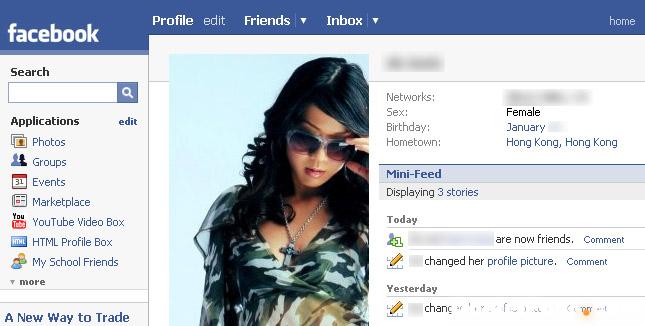
For most of us who aren’t geniuses or super-technical, you may thought this is impossible. But when you think about it, it really isn’t rocket science. All you need is some creativity and not afraid to break the law. But because I am, the following describes hypothetical possible scenarios only. None has been attempted by me or anyone related to me, and all the screens related are mocked up for the purpose of illustrations only. The whole objective is to make you aware of the importance of security when using social networks such as Facebook. And at the end we’ll tell you how to protect yourself. But if you don’t see how easy it is for someone to view your profile, you’ll less likely to take precautions.
First thing to remember is when you get a friend request from someone, how do you know that person is a real request or a fake request? This is the key!!!!
Think about this, imagine if a stalker searched for ‘Paris Hilton’, someone that he/she is interested to find out more about. And this is our hypothetical target for discussion.
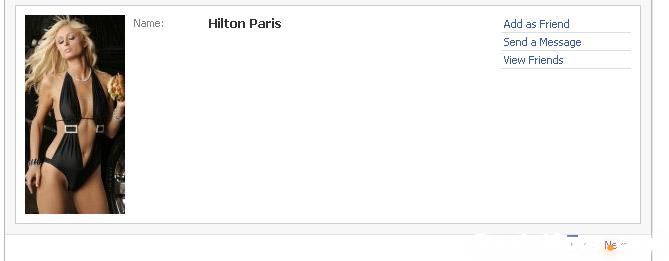
Next you can click on ‘View Friends’ and you’ll see a list of friends that’s connected to Paris. A potential stalker could then use this publicly available information by taking down the names, network and save the profile picture to their hard disk for later use.
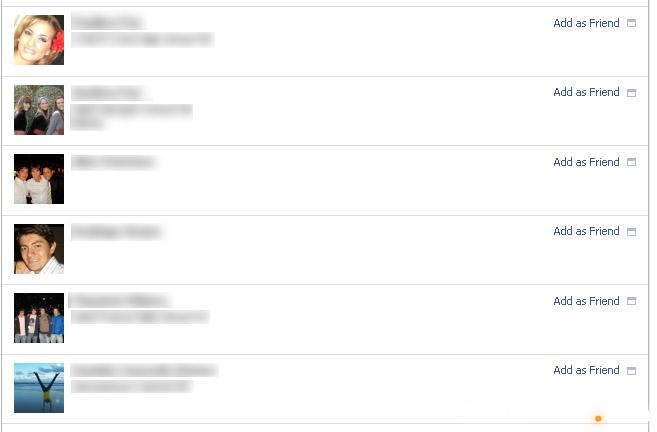
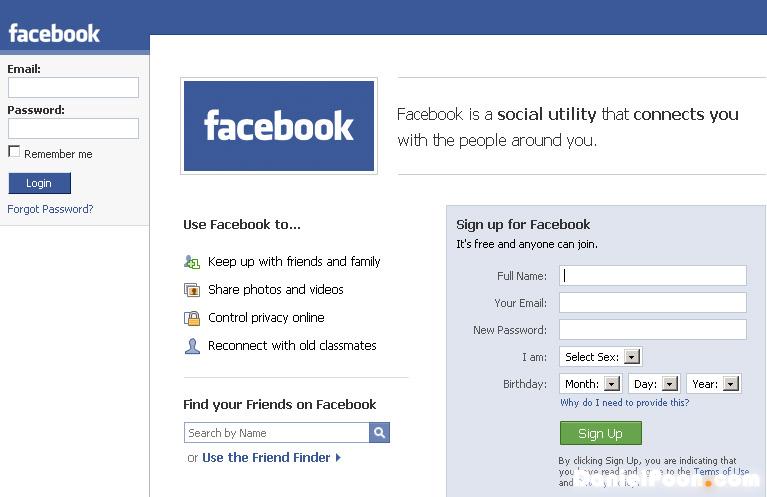
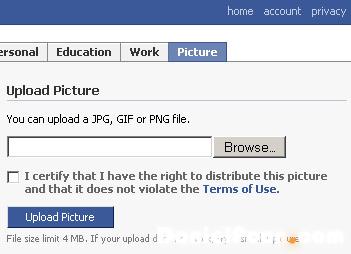
Once the account is ready, the stalker would now be creating a fictional profile by uploading the friend’s picture that he downloaded as well as any info related such as Name or school information. Using this new identity, the stalker then invites Paris to ‘Add as friend’.
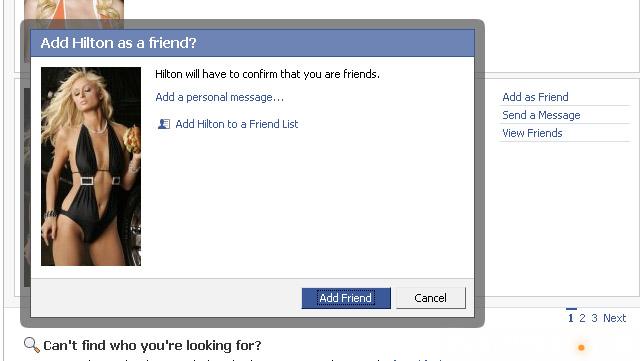
And soon,Paris receives a friends request, thought that she knew the friend and accept the invitation. And that’s it!!! Paris loses her privacy when she clicked the confirm button if she’s not careful. The fact is, it’s quite hard to verify a friend’s request when the name and photo appear as who they are. And this is all part of social engineering…without much hacking involved, and you could be losing your personal information in no one if you’re no careful. Of course one purpose of this article is to shock you into knowing the truth, but the other is for you to know how to protect yourself.
So how do you deal with this?
First way to deal with this is to setup a limited profile list so that only a list of people can see your profile, you’ll have to explicitly to add new friends to that list to allow them to see your profile. Secondly, be sure to add people to the list that you don’t want to share your entire profile with. Well in our case, it’s someone we know, so how do we know if its real?
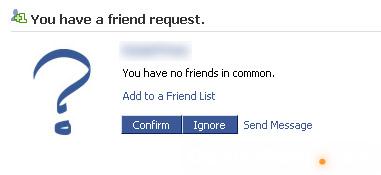
- Set yourself a rule to add friends only, don’t add strangers.
- Look at the name and picture carefully. Also click on the “Name” to see the complete profile. If the profile has little details, then chances are it could be a made-up account.
- Look for the “You have no friends in common” line. If this person is a friend of yours, there should be some connections.
- If this person who’s inviting you is a brand new Facebook user with no friends, then pick up a phone. If he/she is a real friend, you’d probably have something in common to chat about. Call him/her up and find out if there’s a genuine request from them. Always be careful rather than be sorry.
You know, alot of people tend to have alot of friend requests to deal with that they simply look at the name and picture only, and then click the “Confirm” button. Don’t be one of these people. Always be careful.
In the next article,we’ll talk about something more serious, on why you should be super-careful, especially when by now, you think someone seeing your profile is not really such a big deal
Saturday, April 10, 2010
Bluetooth voice chat using mobile and by using computer.::Mobile Tricks for Connect and Chat Via Bluetooth
First Pairing Your Bluetooth:
- 1. Turn-on your mobile blue-tooth and Laptop or PC blue-tooth.
- 2.Open blue-tooth settings in your computer then click “OPTIONS” tab, and then.
- 3.Check ” Allow Blue-tooth device to find this Computer” so that your computer blue-tooth will be visible to all other device.
- 4.Click Devices tab and click “ADD” and check “My Device is setup and ready to found” click next button, devices which are enabled are will be viewed in that pane.
- 5.Click the device name and then click next button. Use the option “Choose a passkey for me” or “Let me choose own passkey” Click next, the password which is given in yourcomputer should be enter into your mobile. After doing the process your mobile device and Computer is Paired.
To hear a voice call from mobile through Computer headset
No need to install any PC Suite for this, just configure your Computer Blue-tooth device and then pair your mobile device by giving password.
1.After pairing open your blue-tooth settings in your computer click audio tab in it, there you can view your device name which is paired with computer.
2.Click the device name and check ” Connect to a stereo headset only if it supports SCMS-T content protection” then click CONNECT button now your mobile ready for connecting. You can ensure that by seeing your device has been denote as connected.
3.Now click APPLY and OK button to close that tab.
4.Now turn ON your mobile blue-tooth after that dial any number from your mobile it prompts you that “connect using handsfree” then click yes in your mobile.
5.Now your voice has been transfered from your mobile to computer headset or speaker. Its really an Exciting thing check using your SonyErricsson mobile.
How To Speed Up BSNL Broadband Connection?
Steps to speed up BSNL Dataone/Broadband Internet :
1. Open Control Panel -> Networking and Sharing Center -> Manage Network Connection.
2. Now a window showing all networks will be opened. Select BSNL Connection -> Right click -> Properties.
3. Now, double click on Internet Protocol Version(TCP/IPv4) and in newly opened window at bottom, select “Use the following DNS Server address” .
4. And fill these 2 DNS Addresses in two fields:
208.67.222.222
208.67.220.220
208.67.222.222
208.67.220.220
and hit OK. Thats it. Your BSNL Internet Broadband DNS Servers changed.
BSNL How to Make Addon dialing for friends and Family?
BSNL Users activate the Friends And Family (Addon dialing)
By Do the following
sms from your mobile as
FFE xxxxxxxxxx (Landline number) xxxxxxxxx(mobile number)
And send it to
53733
thats all now you get a sms like “Request for Friends_Family plan registered,Wait for confirmation SMS ,if eligible,Activation may take 24 hours-.BSNLMOBILE”
Unlimited Free Backlinks PR4 And Above For Your Blog
Simply go to digg.com….go to pages that are older than 365 days guaranteed high page rankpages their…you can find some
in the newer sections of digg too…But go to pages older than 365 days….click on the comments of these stories and take
a look….Tell me what do you see…You will see high page rank pages….Most of them PR5 and up….Now all you do is
make a comment and post your url like this http://www.yourdomainname.com and that’s it…Your link is now on a
high page rank page for free…..Now just search around and keep looking you will find some pages that are really really
high page rank such as pr8, Pr7 and more….Usually you’ll want to choose the ones with the most diggs because they will
usually have higher page rank…Now shhhh keep this quiet because too many people doing this will lose its effectiveness…
First go to digg.com
2nd go to pages 365 older
3rd post comment on high page rank pages with link in comment
4…repeat and repeat…
http://digg.com/apple/Apple_Announces_iPhone_2 PR5
http://digg.com/programming/A_Better_Digg_This_Button Pr5
Subscribe to:
Posts (Atom)
hak83

mobile world...
